
Coupon organizer & expiration reminders for iPhone
Remember the coupons you saved for later.
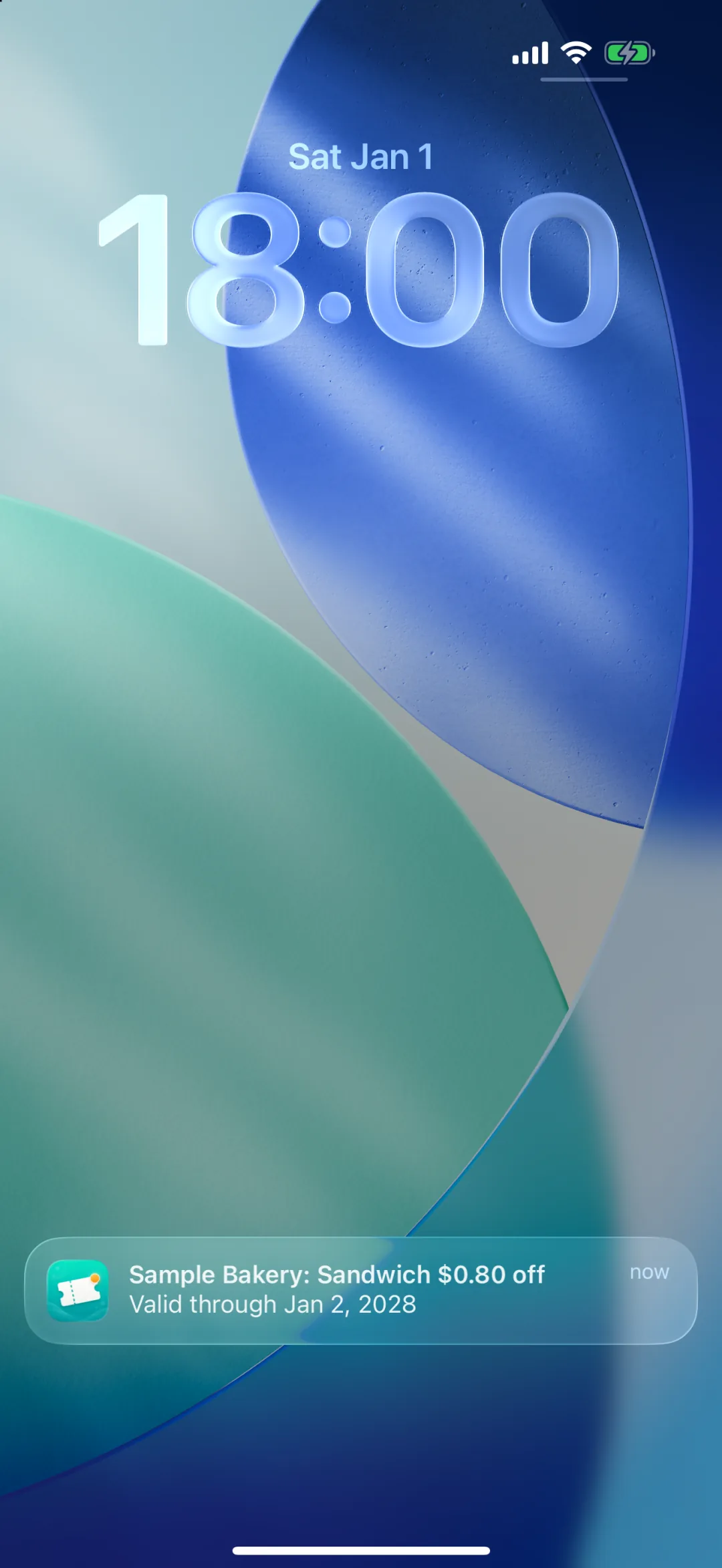
Save coupons with a photo, and Couponie reminds you with notifications and on your Lock Screen as the expiration date gets close.
- Receipts
- Paper coupons
- Screenshots
- Promo codes
- Free, no ads
- No account
- Coupons stay on your device
 iPhone (iOS 15 or later).
Works even without automatic extraction.
Sound familiar?
Coupons are easy to get, and easy to forget.
In your wallet
The coupon on your receipt expired before you noticed.
Take a photo, and you'll get a notification before it expires.
In your photos
You screenshotted a web coupon, and now you can't find it.
Save screenshots and codes, then find them in a list sorted by expiration date or with search. Codes copy in a tap.
Even with a reminder
You know it expires soon, but you can't go that day. Then it slips your mind.
Plan the day you'll use it, like a weekend shopping trip or a dinner out. It shows up in your Home Screen widget, and you can add it to your calendar too.
How it works
Snap it, check it, then just wait.
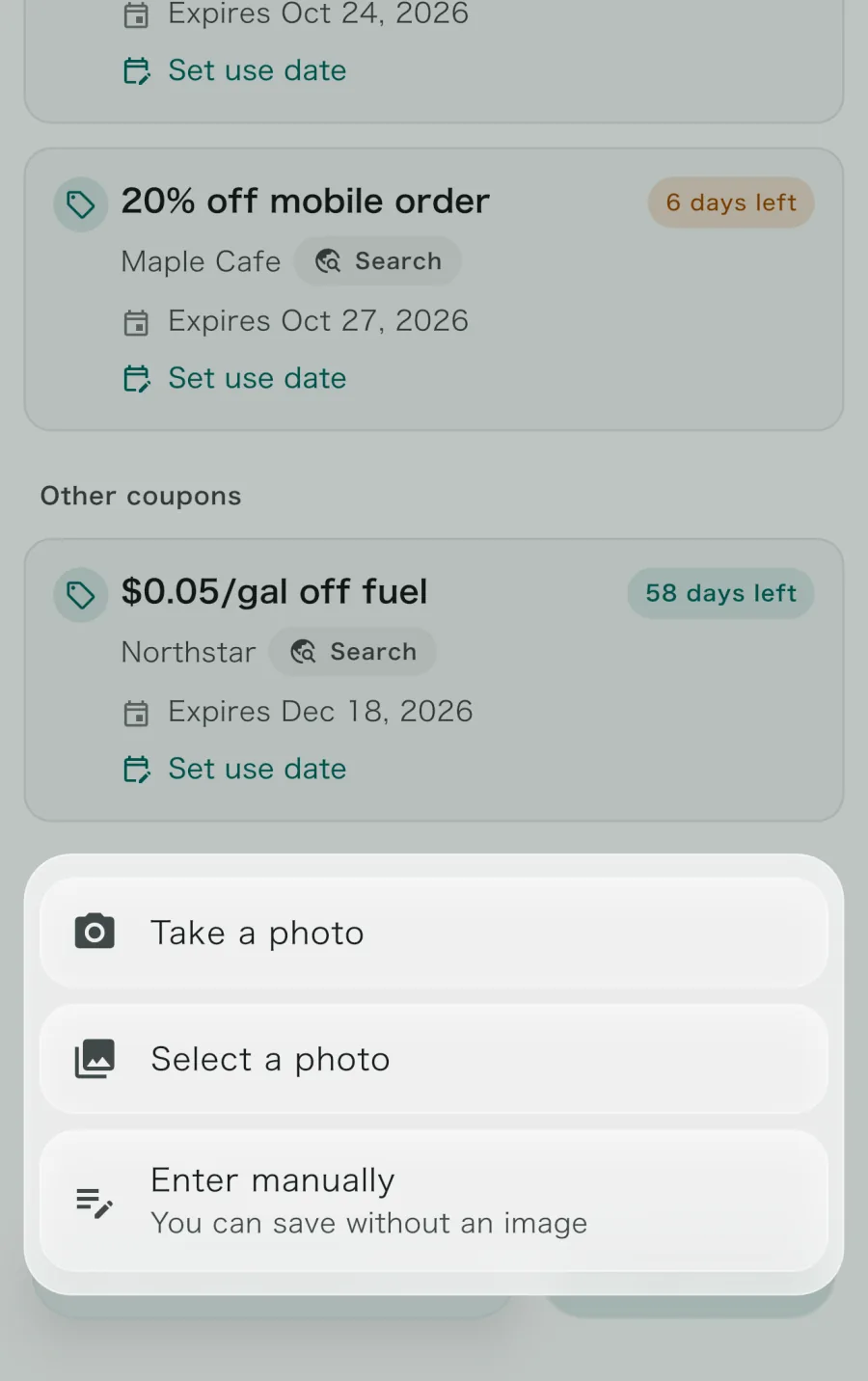
Snap the coupon
Photograph a paper coupon or choose a screenshot of a web coupon. No photo? Enter it manually.
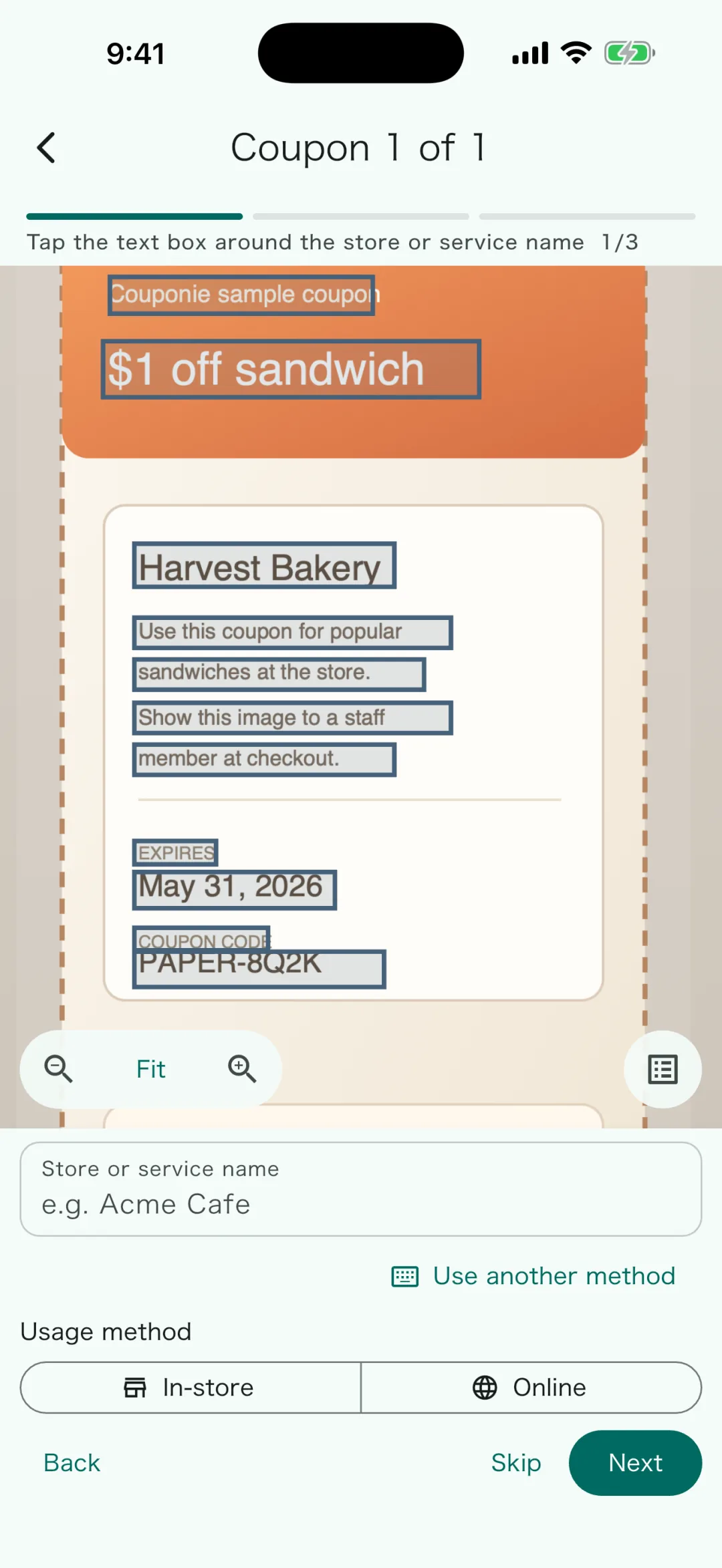
Check the store, offer, and date
Tap the text in the photo to fill in each field. On supported devices it's filled in automatically, so just review and save.
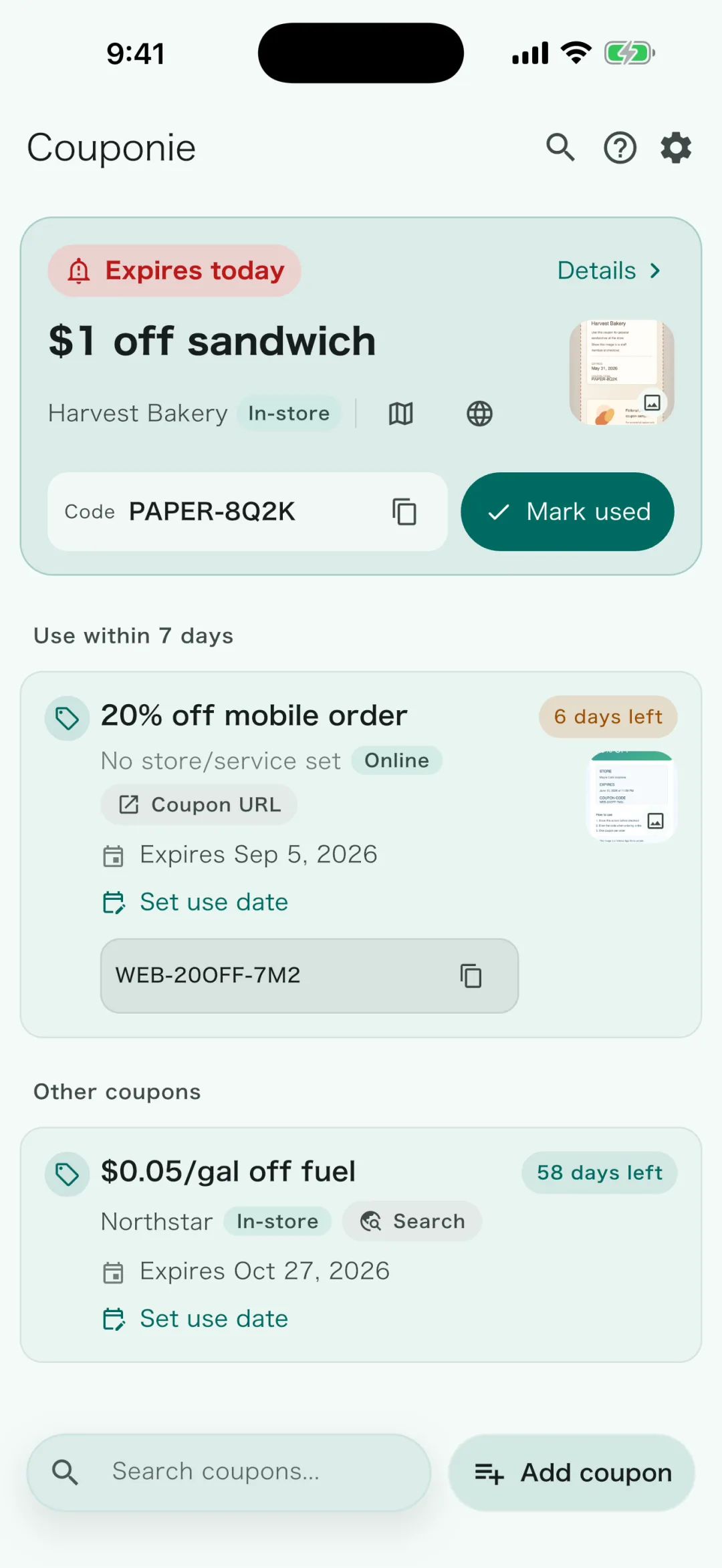
Get reminded before it expires
Along with a list sorted by expiration date, notifications, widgets, and your calendar help you remember.
* Automatic extraction works on devices that support Apple Intelligence with it turned on (for example, iPhone 15 Pro models and iPhone 16 models or later running iOS 26 or later). Review extracted details before saving.
Built-in reminders
You see them without opening the app.
A coupon app stops helping the moment you stop opening it. Couponie puts your coupons where you already look.
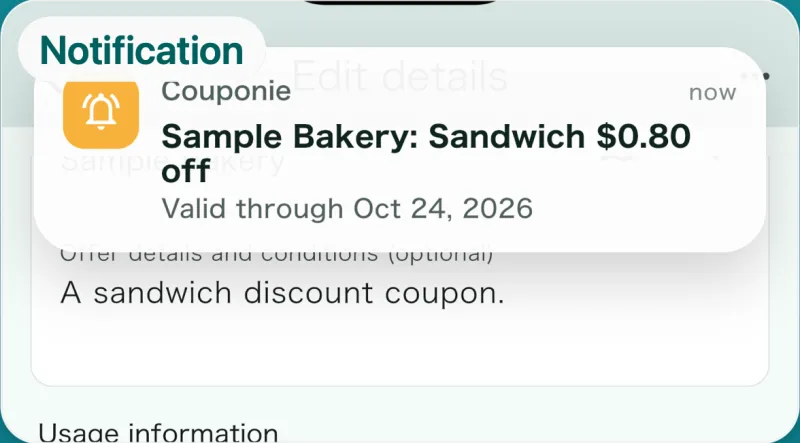
Notifications
Sent before expiration and on the start date.
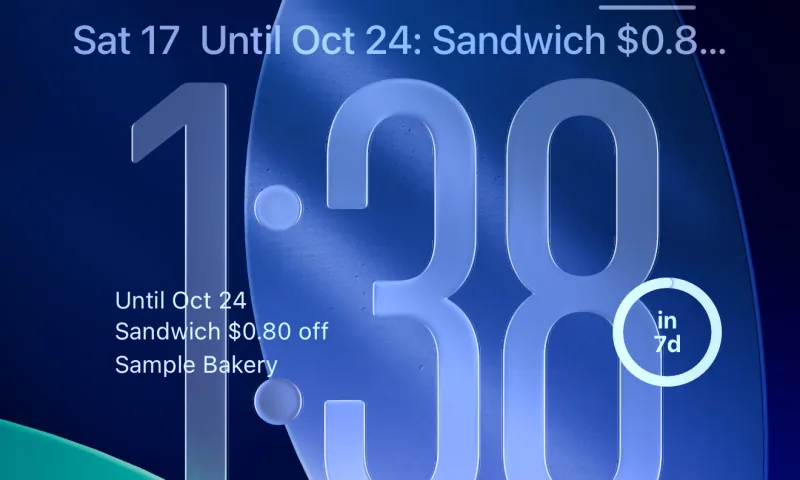
Lock Screen
See the expiration date, days left, or your next coupon (iOS 16 or later).
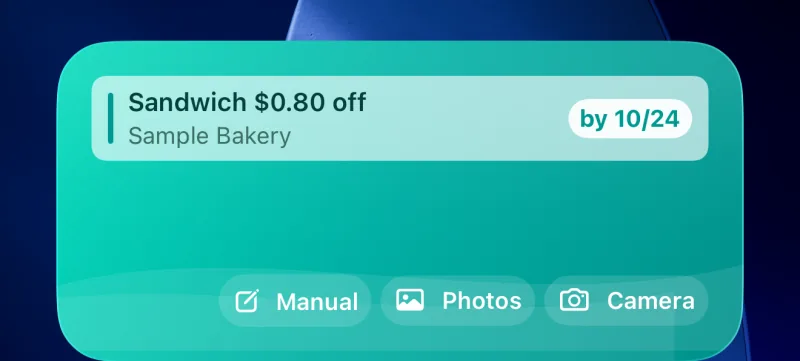
Home Screen
A widget lists coupons to use today or soon.
Calendar
Pick a day to use it and add it to your calendar alongside your shopping and dining plans.
Peace of mind
No cost. No account needed.
Features & specs
Everything it does
Features
- Add from photos and screenshotsTap text in the photo to fill in fields. Automatic on supported devices.
- Manual entryAdd a coupon in a few taps by choosing the offer, date, and store.
- NotificationsReminders on start dates and before expiration. Choose the morning of, the evening before, or the evening 3 days before (coupons with an end time are reminded at 9 PM the day before).
- WidgetsShow your next coupon on the Home Screen and Lock Screen.
- Planned use date and calendarPick the day you plan to use it and add it to your device calendar.
- Copy coupon codesPaste them straight into online stores and apps.
- SearchFilter by store name or offer.
- Maps and web searchJump from a store name to a maps app or a web search.
- Used coupons and cleanupMark coupons as used and undo deletions. Used and expired coupons are deleted after 180 days.
Specs
- Price
- Free (no ads or in-app purchases)
- Devices
- iPhone (iOS 15 or later)
- Auto extraction
- Apple Intelligence devices only. On others, tap text to fill in details
- Account
- Not required
- Storage
- On your device
- Languages
- English, Japanese, Traditional Chinese
- Contact
- Support page
- App name
- Couponie (Japanese: くぽ〜ん / Traditional Chinese: 券包包)
Questions
FAQ
Is it really free?
Yes. There are no ads or in-app purchases, and no limits on how many coupons you add or scan.
What kinds of coupons can I add?
Paper coupons, receipt coupons, screenshots of web coupons, promo codes, gift cards, and vouchers. Anything with an expiration date works.
Will automatic extraction work on my iPhone?
It works on devices that support Apple Intelligence with it turned on. On other iPhones, you can tap the text in the photo to fill in details.
Is there an Android or iPad version?
Couponie is currently for iPhone (iOS 15 or later). You can install it on iPad, but it isn't designed for the iPad screen and isn't guaranteed to work. There is no Android version.
What happens to events I add to my calendar?
Couponie doesn't change or delete calendar events after they're added. To edit one, use your calendar app.
What happens to coupons I'm done with?
Used coupons are deleted 180 days after the use date, and expired coupons 180 days after the expiration date. If you delete one by mistake, you can undo it right away.
Is there anything Couponie can't do?
Couponie is for keeping track of coupons you already have until they expire. It doesn't:
- Find deals or send you coupons
- Apply promo codes automatically at online stores
- Manage loyalty cards or cashback
- Share with family or sync across devices
Got a coupon in your wallet? Add it now.
Free, no account. Get started on your iPhone right away.